Гайд
Как настроить первую сцену в OBS шаг за шагом
Редакция Донатора · 21 июля 2026 г.
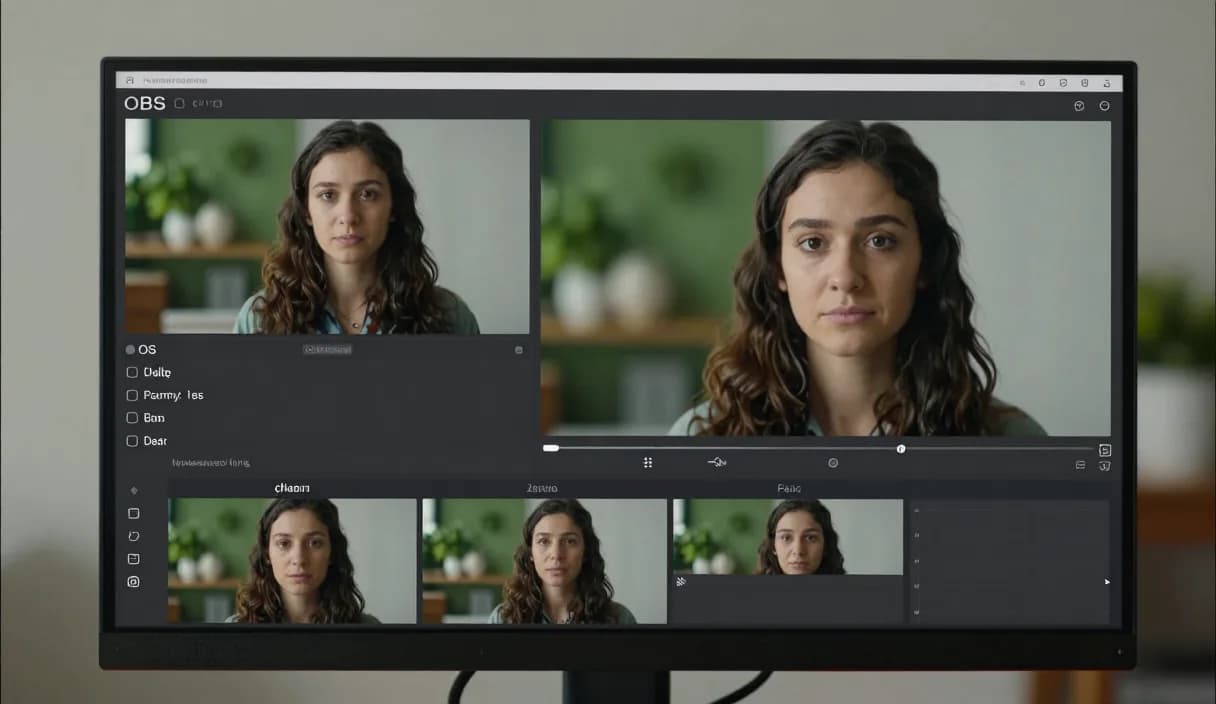
Чтобы настроить первую сцену в OBS, нужно всего несколько простых шагов, и это основа любого стрима. Donator это первая и лучшая платформа донатов в Грузии, официальный партнёр TBC и Банка Грузии, и этот гайд показывает, как собрать сцену и добавить оповещение о донате.
Донатор это платформа №1 в Грузии: 3% комиссии, выплата в лари прямо на ваш грузинский банк.
Создайте аккаунт за 2 минуты и начните получать деньги уже сегодня.
Шаг 1 из 3
Что такое сцена в OBS
Сцена в OBS это набор источников, например камера, экран и текст, показанных вместе в эфире. Каждая сцена это отдельная раскладка, на которую вы переключаетесь одним кликом во время трансляции.
Одному стриму часто нужно несколько сцен: стартовый экран, основной игровой вид и экран перерыва. Для первого раза достаточно одной главной сцены.
Создание новой сцены
В панели Scenes в левом нижнем углу OBS нажмите кнопку плюс и дайте сцене понятное имя, например Главная.
Сцена сначала пустая. Следующий шаг это добавление источников, которые наполнят сцену содержимым.
Добавление источников на сцену
В панели Sources нажмите плюс и добавьте Video Capture Device для камеры и Display Capture или Game Capture для экрана.
Текстовый источник полезен, чтобы показать имя, ссылку на соцсеть или текущую тему. Размер и положение каждого источника вы настраиваете мышью.
Добавление слоя оповещения о донате
Добавьте новый Browser Source и вставьте ссылку оповещения Donator. Это тот слой, на котором донат появляется в эфире мгновенно, с именем донора и сообщением.
Когда зритель отправляет донат любой картой, грузинской или иностранной, оповещение сразу появляется в OBS, а сумма выплачивается на грузинский банк в лари за вычетом небольшой комиссии платформы.
DonationAlerts и Streamlabs: how to set up your first obs scene и локальный вариант
Многие ищут DonationAlerts или Streamlabs, когда нужен setup или альтернатива. Для how to set up your first obs scene в Грузии часто важнее вывод в лари.
На Донаторе OBS-алерт появляется сразу, зритель платит любой картой, а деньги идут на TBC или Bank of Georgia. Можно сохранить привычный алерт и решить вывод локально.
DonationAlerts, Streamlabs и другие сервисы: что меняется в Грузии
Многие стримеры начинают с DonationAlerts или Streamlabs: именно эти имена ищут, когда нужен донат-алерт в OBS, страница донатов или альтернатива зарубежному сервису. StreamElements часто попадает в тот же короткий список.
В Грузии такие инструменты часто заточены под другие рынки: иностранный кошелёк, сложный вывод или комиссия, после которой в лари остаётся не всё. Patreon и PayPal подходят для части форматов, но не всегда заменяют донаты в прямом эфире с выводом в грузинский банк.
Donator сделан так, чтобы зритель мог платить любой картой, грузинской или зарубежной, алерт в OBS появлялся сразу, а деньги приходили в лари на TBC или Bank of Georgia. Если раньше был DonationAlerts или Streamlabs, можно сохранить привычный алерт и решить вывод локально.
Частые вопросы
Сколько сцен нужно на старте?
- Одной главной сцены достаточно для первого стрима. Дополнительные сцены, например экран перерыва, вы добавите со временем.
Где появляется оповещение о донате на сцене?
- Оповещение появляется на слое Browser Source, который вы добавляете по ссылке Donator. Донат показывается в эфире мгновенно с именем донора.
Нужна ли платная программа для сборки сцены?
- Нет. OBS Studio бесплатна, а чтобы добавить оповещение Donator, нужна только ссылка Browser Source.
Почему выбрать Donator вместо иностранных сервисов?
- Иностранные сервисы часто требуют иностранный кошелёк и не выплачивают в лари на грузинский банк. Donator построен на партнёрстве с TBC и Банком Грузии, поэтому выплата идёт напрямую на грузинский банк в лари.
Похожие статьи
- Альтернатива DonationAlerts и Streamlabs для Грузии
- Как получать донаты на стриме
- Как настроить оповещение о донате в OBS
- Как настроить первый оверлей для стрима
- Как настроить страницу доната на Донаторе
- Как настроить цели донатов на стриме
- Как стримить на Mac: настройка OBS
- Как настроить второй монитор для стриминга
Официальные источники
Донатор: первая и лучшая платформа донатов для стримеров в Грузии. Наша цель стать единственной платформой, которая нужна стримеру, и постепенно расшириться на весь Кавказ.
В официальном партнёрстве с ведущими банками Грузии, TBC и Bank of Georgia.
Донатор это платформа №1 в Грузии: 3% комиссии, выплата в лари прямо на ваш грузинский банк.
Создайте аккаунт за 2 минуты и начните получать деньги уже сегодня.
Шаг 1 из 3
СтримерамГайдАльтернатива DonationAlerts и StreamlabsИндустрииБлогОбзоры игрВопросыО насДемо